Access all Aadhaar services https://myaadhaar.uidai.gov.in online – Download e-Aadhaar, Update Address, Order PVC Card, Book Appointment & Check Aadhaar Status.
The Unique Identification Authority of India (UIDAI) is a statutory authority under the Government of India. Established in January 2009 UIDAI was created with the mission to issue a unique identification number called Aadhaar to all residents of India. The primary objective of UIDAI is to provide every Indian resident with a verifiable and portable identity that is free of duplication and can be used to access various government and private services.
UIDAI operates under the jurisdiction of the Ministry of Electronics and Information Technology (MeitY). Over the years Aadhaar has become the world’s largest biometric identification system covering more than 1.3 billion individuals.
UIDAI – Unique Identification Authority of India Services
myAadhaar Portal Services
myaadhar.uidai.gov in login
myaadhar.uidai.gov.in login is the official UIDAI portal where you can access all Aadhaar-related online services, including downloading e-Aadhaar, updating Aadhaar details, checking PVC card status, and managing your Aadhaar information. To log in, simply enter your Aadhaar number or VID and complete the OTP verification. This is the secure and authorized platform for all Aadhaar services in one place.
The Aadhaar login process on the MyAadhaar portal provides secure access to Aadhaar services using your 12-digit Aadhaar number and an OTP. It is essential for updating demographics details and accessing various value-added services offered by UIDAI.
Login Process (MyAadhaar Portal):
- Visit the MyAadhaar (myaadhaar.uidai.gov.in) portal.
- Click on the Login button and enter your 12-digit Aadhaar number, and captcha.
- Click Login with OTP, then a OTP will be sent to your registered mobile number.
- Enter the OTP to access your Aadhaar dashboard.
Aadhaar Services Offered by UIDAI
The UIDAI offers a range of services that make it easy to enrol, update, retrieve, and manage Aadhaar. Below is a complete, step-by-step guide to these services:
Download Aadhaar (e-Aadhaar)
Download a secure digital copy of your Aadhaar for use in various services.
- Open the Aadhaar Download Page: Visit https://myaadhaar.uidai.gov.in/, and click on the Download Aadhaar option.
- Enter Your Details:
- Provide your Aadhaar Number, Enrolment ID (EID), or Virtual ID (VID).
- Complete the captcha displayed on the screen.
- Authenticate Using OTP:
- An OTP will be sent to your registered mobile number.
- Enter the OTP and proceed.
- Download the PDF:
- Once verified, download the e-Aadhaar PDF file.
- The PDF is password-protected. Use the first four letters of your name (in CAPITALS) and your birth year as the password.
The Purpose Behind Aadhaar
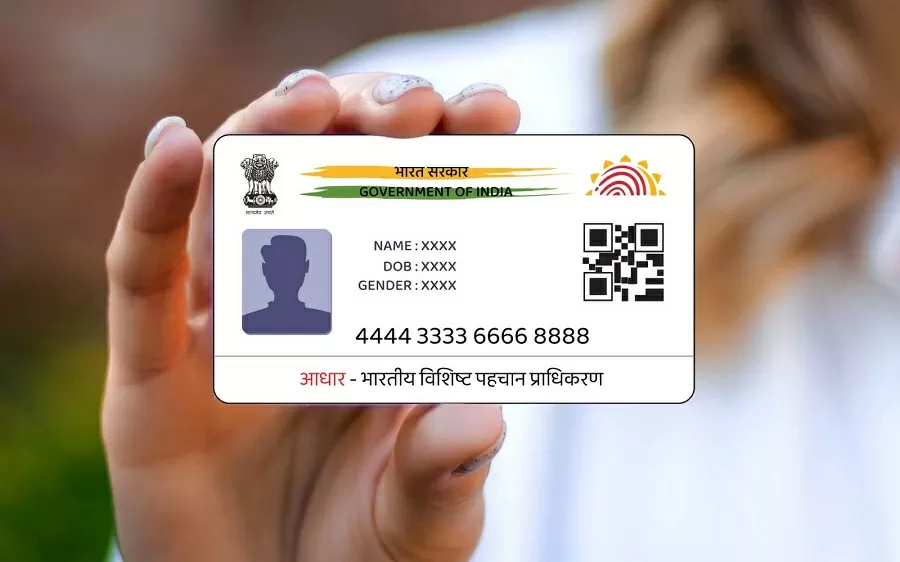
UIDAI issues 12 digit Unique Identification Number (UID) to the residents of India with the objectives given below:-
- To provide a unique identification to all the residents of the country and eliminate fake and duplicate identities.
- To verify and authenticate the identity in an easy and effective manner.
How UIDAI Collects Data
UIDAI enrolls residents through a nationwide network of Aadhaar Enrolment Centers. The process involves capturing:
- Demographic data: Name, date of birth, gender, address, mobile number, and email (optional).
- Biometric data: Fingerprints (10) iris scans (2) and facial photograph.
The data is securely stored and encrypted in UIDAI’s Central Identities Data Repository (CIDR) which ensures data privacy and protection through multiple security layers.
Major Functions of UIDAI
UIDAI performs several essential tasks to ensure that Aadhaar remains a trustworthy identity platform. Some of its key functions include:
1. Aadhaar Enrolment and Updates
UIDAI manages and supervises the entire Aadhaar enrolment process and allows users to update their details such as name, mobile number, or address through both online and offline channels.
2. Authentication Services
UIDAI offers authentication services that verify identity through Aadhaar in real-time. These services are used by banks, telecom companies, insurance providers, and government schemes to validate users before providing services.
3. Ensuring Security and Privacy
One of UIDAI’s core responsibilities is maintaining the integrity and confidentiality of resident data. It follows strict data protection protocols and audits its systems regularly to prevent breaches or misuse.
4. Grievance Redressal
UIDAI provides a user-friendly grievance redressal system. Residents can contact UIDAI via toll-free numbers, email, or by visiting the official website for support regarding Aadhaar services.
Key Services Offered by UIDAI
UIDAI provides a wide range of services to residents which are accessible through the mAadhaar app myaadhaar.uidai.gov.in or physical service centers. Here are some of the top services:
Aadhaar Enrolment
Residents who have not enrolled can visit the nearest Aadhaar Seva Kendra or enrolment center with proof of identity and address to complete their Aadhaar registration.
Aadhaar Download
After enrolment, users can download an e-Aadhaar copy from the UIDAI website using their Aadhaar number enrolment ID or Virtual ID.
Mobile Number & Email Linking
For availing of many online services it is essential to link your mobile number with Aadhaar. UIDAI allows mobile updates via OTP-based authentication at authorized centers.
Aadhaar PVC Card
UIDAI provides the option to order a durable, pocket-sized PVC Aadhaar card online for ₹50, which contains a digitally signed QR code for quick offline verification.
Virtual ID (VID) Generation
VID is a temporary, revocable 16-digit number that can be used in place of Aadhaar for authentication. It enhances privacy and reduces the risk of identity misuse.
Benefits of UIDAI and Aadhaar Integration
Financial Inclusion
Aadhaar has been instrumental in providing banking services to previously unbanked populations. The JAM Trinity (Jan Dhan, Aadhaar, Mobile) enables direct benefit transfer (DBT), subsidies, and welfare delivery efficiently.
Streamlined Government Services
Linking Aadhaar to services such as LPG subsidies, MGNREGA wages, and pensions has reduced fraudulent claims. It ensures only genuine beneficiaries receive aid.
Ease of Verification
Aadhaar-based eKYC has made onboarding for telecom services, insurance, and banking faster, paperless, and more secure.
Digital India Push
UIDAI supports the Digital India mission by providing a secure digital identity. Aadhaar-linked platforms enable online transactions, digital signatures, and e-governance initiatives.
Recent Updates from UIDAI
Face Authentication Launched
UIDAI has rolled out face authentication as an additional mode of verifying identity. This complements fingerprint and iris-based authentication and is especially helpful for elderly users.
New mAadhaar Features
The updated mAadhaar app now supports multiple Aadhaar profiles offline verification through QR code, and status checks for PVC card orders or updates.
Document Update Reminder
UIDAI has urged Aadhaar holders who were enrolled 10+ years ago to update their documents. This step ensures continued validity and reduces authentication errors.
How to Contact UIDAI
For any Aadhaar-related queries or assistance, residents can reach UIDAI through the following channels:
- Toll-Free Number: 1947 (available 24/7)
- Email: [email protected]
- Website: https://uidai.gov.in
- Grievance Portal: https://pgportal.gov.in
You can also visit the nearest Aadhaar Seva Kendra or Common Services Centre (CSC) for offline services and support.
-
What is myaadhar.uidai.gov.in?
myaadhar.uidai.gov.in is the official UIDAI portal that provides Aadhaar services such as e-Aadhaar download, Aadhaar update, PVC status check, Aadhaar enrollment update, and more.
-
How to log in to myAadhaar portal?
You can log in using your Aadhaar number or Virtual ID (VID). Enter the number, request OTP, and complete the verification to access services.
-
How can I download my e-Aadhaar from myaadhar.uidai.gov.in?
Go to Download Aadhaar, enter Aadhaar/VID/Enrollment number, verify with OTP, and download the PDF
-
Is myAadhaar login safe?
Yes, the portal is fully secure and managed by UIDAI. Login uses OTP-based authentication to protect user data.
-
How do I update my Aadhaar details online?
Login to the portal → Select Update Aadhaar → Update address, document, or demographics (as per available services) → Submit and track status.
-
How to check Aadhaar PVC card status?
Open Check Aadhaar PVC Status → Enter Aadhaar/VID → Verify OTP → View dispatch or printing status.
-
Can I update my mobile number on myAadhaar?
Mobile number update is not available online. You must visit the nearest Aadhaar Enrollment/Update Center.
-
Is the e-Aadhaar acceptable as ID proof?
Yes, the e-Aadhaar is signed digitally by UIDAI and may be accepted as valid identification and address proof anywhere in India.
-
How to Download E Aadhaar Without OTP — Simple Gude
No, biometrics or OTP is required for online download.
